
BitTorrent®- Torrent Downloads
bittorrent.comVideo Players & Editors
4.543.22K Reviews
- Version
- 8.3.18
- Installs
- 50.00M
- Age Rating
- Everyone
Screenshots
Our Review of BitTorrent®- Torrent Downloads
 Analysis by Appyee
I installed BitTorrent®- Torrent Downloads expecting a straightforward way to handle torrent files on a phone, and that is exactly where it makes the strongest impression. It is a free Android app in the Video Players & Editors category, developed by bittorrent.com, with a focus on finding, downloading, and streaming torrent content from a mobile device. It feels more practical than flashy: the important question is not whether it looks exciting, but whether it makes a torrent-based workflow manageable on a smaller screen.
My overall view is positive, with an important qualification. BitTorrent®- Torrent Downloads is useful when you want a mobile torrent tool that combines downloading and playback in one place, but it is not a universal replacement for a desktop torrent client, a dedicated media player, or a legal streaming service. The experience depends heavily on the quality and legality of the torrent source, your phone’s available storage, and how comfortable you are managing files yourself.
How the app feels in its current form
The current release is version 8.3.18, and the app has been available since May 15, 2012. That long presence matters because this is not an experimental utility that appeared recently and disappeared after a few updates. BitTorrent®- Torrent Downloads has had time to settle into a recognizable role: it is a mobile client for people who already understand what torrents are and want access to that workflow away from a computer.
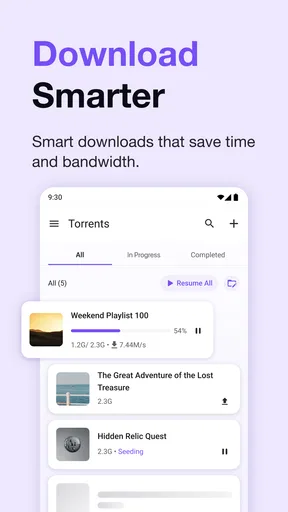
On first use, I found the concept easy to understand. You work with torrent sources, begin a download, and then manage or play the resulting media from the same general environment. The appeal is obvious when you are dealing with a video that you have the right to access but do not want to transfer manually from a computer. Instead of juggling a separate downloader, file manager, and player, the app gives you a more direct route from torrent to phone.
The app’s scale also suggests that it has reached a broad audience. It has more than 50 million installs, an average rating of 4.5 from roughly 952 thousand ratings, and around 43 thousand written reviews. Those figures do not guarantee that every user will enjoy it, but they do indicate that the basic idea works for many people. I would still treat popularity as context rather than proof: torrent applications can receive very different reactions depending on device storage, network conditions, and the user’s expectations.
The age rating is Everyone, which describes the app’s general availability rather than the nature of every file someone might download through it. That distinction is worth keeping in mind. The application is a tool, while the content comes from external torrent sources. I would use it only for material I am legally allowed to download and would avoid assuming that a searchable torrent is automatically safe, authentic, or authorized.
What the everyday workflow is really like
A realistic use case is downloading a legally distributed video collection while travelling. I might find the authorized torrent on a project’s official website before leaving home, open it with the app, and let the files download over a trusted connection. Later, I could watch the completed video without needing to stream it continuously. That is more useful than it may sound: a downloaded file can be preferable on a train, in an area with unreliable reception, or when I want to avoid repeated buffering.
The trade-off is that the phone becomes part of the storage and network equation. Large video files can consume space quickly, and a download that looks convenient on a desktop may be awkward on a phone with limited capacity. I recommend checking available storage before starting anything substantial and deciding in advance whether the finished file is worth keeping. A torrent client is not a magic way to create more room; it simply makes the transfer easier.
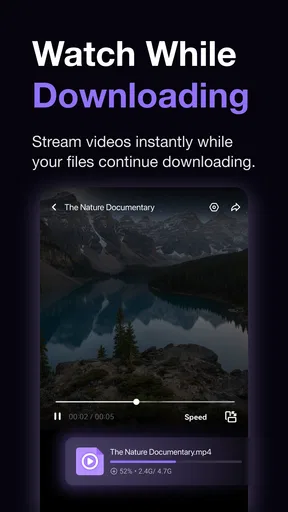
Streaming is another reason to choose this app, but I would not confuse that feature with the instant playback experience of Netflix, YouTube, or another conventional service. Torrent-based playback depends on the source, the download state, the connection, and the file itself. If the torrent has few active peers or the video is encoded in a way your device handles poorly, the experience can be less predictable than opening a normal streaming app.
What has changed over the product’s lifetime
The most concrete sign of ongoing maintenance is the current version, 8.3.18, following a product history that reaches back to 2012. I see that as evidence of continuity rather than a reason to assume a particular new feature. The version number tells me the app is still being maintained, but it does not by itself prove that every part of the interface has been redesigned or that every long-standing annoyance has disappeared.
For existing users, the benefit of that continuity is familiarity. Someone who used an earlier edition may not need to relearn the entire idea of torrent downloading. The core purpose remains recognizable: locate or open a torrent, monitor its progress, and work with the resulting media. That consistency is valuable on mobile, where an overly complicated redesign could make a simple transfer feel like a technical project.
At the same time, a mature app can carry design decisions that feel dated beside newer Android tools. I noticed that the experience rewards users who are willing to inspect what they are downloading rather than tapping through quickly. Torrent files can contain multiple items, unfamiliar names, or content you did not intend to request. Taking a moment to review the selection is a better habit than treating every torrent as a single, clearly labeled video.
The free price also shapes the current experience. You can start without committing money, which makes it easy to test whether mobile torrenting suits your routine. In-app purchases range from $2.99 to $4.99 per item. I would not pay automatically just because an optional purchase appears; I would first use the free version long enough to understand whether the app’s workflow, advertising or optional extras fit my needs. The right value depends on what those additions do for you in practice, not simply on their low individual cost.
What the latest version means for people who already use it
If you are already comfortable with the app, the biggest advantage of staying with it is reduced friction. Your existing understanding of torrent terminology and download management carries over, and you do not have to move your routine to a different client just to perform the same basic task. For occasional downloads, that continuity may matter more than having a long list of advanced controls.
New users should approach the current version with a slightly different mindset. I would not install it expecting a fully automated media library. It is better understood as a hands-on downloader with playback convenience. You still need to choose trustworthy sources, recognize the file you want, watch storage usage, and decide what to delete afterward. The app can bring those steps together, but it does not remove the responsibility behind them.
One useful habit is to separate “downloaded” from “ready to watch.” A torrent may appear in progress while some pieces are available, but that does not mean the entire file is complete or that playback will be smooth. If I need dependable offline viewing, I wait for the transfer to finish and then test the file before leaving a reliable connection. This avoids discovering halfway through a journey that the video is incomplete or unsuitable for the device.
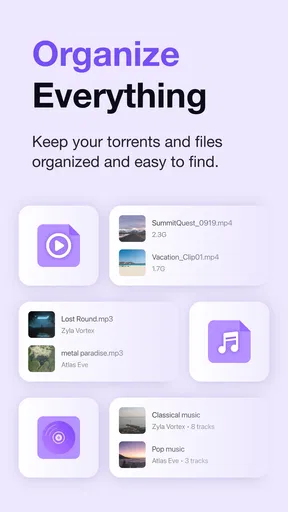
I also prefer to use a clear naming system for saved media. Torrent names are not always friendly, and a phone’s file list can become confusing after several downloads. Renaming or organizing completed files, when the app and device workflow allow it, makes later playback easier and reduces the chance of downloading the same material again. This is a small step, but it is one of the differences between a tidy mobile library and a folder full of anonymous files.
Where it still falls short
The app’s central limitation is inherited from torrent technology itself: performance is not controlled by the application alone. A healthy source can deliver a smooth download, while a poorly shared torrent may crawl regardless of how polished the interface feels. That makes it less dependable than a conventional streaming service when I want immediate access to a known title.
Another limitation is the phone environment. Desktop torrent clients usually offer more room for inspecting files, sorting several transfers, and managing a large library. On a phone, those tasks compete with notifications, battery use, storage limits, and the smaller display. BitTorrent®- Torrent Downloads is convenient for occasional mobile use, but I would choose a computer for a large queue or a long-running collection of downloads.
Playback convenience should also be judged realistically. A torrent client may make it possible to play media without opening another application, yet that does not guarantee the broad format support, subtitle handling, audio controls, or library organization of a dedicated video player. If your priority is careful playback control rather than downloading, a specialized player may be the better companion. The app is strongest when downloading and watching are part of the same task.
Security and legality require personal attention as well. I would not use random torrent indexes casually, and I would never assume that a familiar-looking filename proves anything about the source. Torrents can be mislabeled, bundled with unwanted files, or shared without permission. The app’s Everyone rating should not be interpreted as a guarantee about every file encountered through it. Responsible source selection is part of using this category of software.
There is also a practical question about network behavior. I would avoid starting a substantial transfer when I am relying on a limited mobile data allowance or an unstable connection. A download can continue longer than expected, and the convenience of starting it from a phone can make it easy to forget that it is still active. Before beginning, I check the connection, storage, and whether I actually need the file locally.
Who should use it, and who should choose something else
I think the app is a good fit for Android users who already have legal torrent sources and want a simple way to download or watch media without returning to a computer. It is especially practical for people who move between locations, keep a small offline video collection, or want to access openly distributed files directly on a tablet or phone.
It is less suitable for someone who expects one-tap access to mainstream entertainment. If you want a catalog, reliable playback, synchronized profiles, or predictable quality, a normal streaming service is a better match. If you want detailed queue controls, extensive automation, or serious long-term seeding management, a desktop client will usually feel more capable. If you only need to play local videos, a dedicated media player avoids the unnecessary torrent layer.
I would also hesitate to recommend it to a complete beginner who does not yet understand the difference between a torrent file, a magnet-style source, a downloaded media file, and the website providing the source. The app can be approachable, but the surrounding system still has concepts that deserve a little learning. A few minutes spent understanding those basics is more useful than relying on the app to make every decision automatically.
Small decisions that improve the experience
My first practical tip is to start with a small, legally distributed file rather than a large video collection. That lets you learn how the app presents progress, where completed media appears, and how playback behaves on your device without committing significant storage or time. It is a safer way to evaluate the workflow than beginning with a huge download.
Second, inspect the contents of a torrent before treating it as a single video. Some sources include several files, documentation, artwork, or versions in different qualities. Selecting only what you need can save space and make the final library easier to manage. This is one of the app’s less obvious advantages: mobile torrenting becomes much more practical when you actively curate the download instead of accepting everything.
Third, use the streaming option as a convenience test, not as a promise of instant playback. If I am watching something important, I prefer to let enough of the file download first and keep an alternative available. This balances the app’s flexibility against the unpredictable speed of peer-based transfers. It is a better approach than assuming that every torrent will behave like a dedicated video stream.
Finally, clean up after yourself. Completed torrents can remain easy to forget, especially when the original reason for downloading them has passed. Removing unwanted files protects storage and keeps the app’s working area manageable. I also avoid downloading while the phone is already low on battery or space, because a convenient transfer can become an irritating maintenance task when the device is under pressure.
What I would watch going forward
With version 8.3.18 as the current release, I would pay attention to how future updates handle the balance between simplicity and control. The app does not need to become a desktop replacement to remain useful, but improvements that make file selection, storage awareness, and playback handoff clearer would directly help mobile users.
I would also watch whether the experience continues to suit both occasional downloaders and people who use it regularly. Those groups want different things: the first values a short path from source to video, while the second may need better organization and more visibility into several transfers. A mature mobile client has to avoid overwhelming beginners without hiding the information experienced users need.
My final recommendation is straightforward. BitTorrent®- Torrent Downloads is worth trying if you have a legitimate torrent-based use case and want downloading and media playback close together. The free entry point makes testing easy, and its long history, current version, and strong user response give it a credible place among mobile torrent tools. I would choose it for occasional offline media and authorized file distribution, not for replacing every streaming, playback, or desktop-download solution.
In my experience, the app succeeds when I treat it as a focused tool rather than a complete entertainment platform. Check the source, review the files, protect your storage, and allow for variable transfer speeds. Follow those expectations and it can be genuinely convenient; ignore them and the same simplicity can turn into confusion. That balance is the most important thing to understand before installing it.
Verdict
Strengths of BitTorrent®- Torrent Downloads
- Fast downloads when many healthy seeders are available
- Supports magnet links for quick torrent access
- Built-in media player previews compatible files
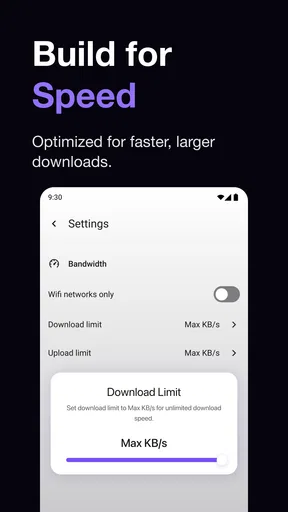
- Wi-Fi-only downloading helps reduce mobile data use
- Simple interface makes torrent management easy
Limitations of BitTorrent®- Torrent Downloads
- Download speeds depend heavily on seeders and network conditions
- Large torrents can consume substantial storage space
- Some features may require in-app purchases
- Background activity can noticeably affect battery life
- Torrent content quality and safety depend on the source
Other Releases by bittorrent.com
View All
µTorrent®- Torrent Downloader
Video Players & Editors4.6

µTorrent® Pro - Torrent App
Video Players & Editors4.8
Similar Picks in This Category
View All
Google TV
Google LLC3.9

iTunes
Apple4.7

YouTube
Google LLC3.8

MX Player
Amazon Mobile LLC4.2

CapCut - Video Editor
Bytedance Pte. Ltd.3.5

PLAYit-All in One Video Player
PLAYIT TECHNOLOGY PTE. LTD.4.5
Frequently Asked Questions
What is BitTorrent®- Torrent Downloads used for?
BitTorrent®- Torrent Downloads is a mobile torrent client that lets you search for, download, and manage torrent files directly on an Android device. It can handle different download types, including large media or archive files, while providing controls for download location, bandwidth usage, and active tasks. You should only download content that you own or have permission to access.
Is BitTorrent®- Torrent Downloads free to use?
The app is generally available as a free download, although the free experience may include advertising and some features can vary depending on the version or platform. Users should review the current Google Play listing for optional premium upgrades, in-app purchases, and subscription details before installing. Prices, available features, and advertising policies may change over time.
Does the app require a VPN or special internet connection?
BitTorrent®- Torrent Downloads does not normally require a VPN to start downloading torrents, and it can work over Wi-Fi or mobile data. However, torrent traffic is visible to internet service providers and other peers, so privacy-conscious users may choose a reputable VPN. A VPN does not make copyright infringement legal, and connection speed may be affected.
Can BitTorrent®- Torrent Downloads use mobile data and storage space?
Yes, the application can use mobile data unless downloads are restricted to Wi-Fi in its settings. Torrent files can also consume substantial storage, especially when downloading videos, games, or large archives. Before beginning a transfer, check the file size, available device space, and data preferences. Enabling Wi-Fi-only downloads is advisable if your mobile plan has limits.
Is BitTorrent®- Torrent Downloads safe and legal to use?
The app itself is a legitimate torrent-management tool, but safety depends heavily on the files you choose and the sources you use. Torrents may contain malware, misleading filenames, or copyrighted material shared without authorization. Download only from trustworthy sources, scan files before opening them, keep Android updated, and respect copyright laws and the terms of your internet provider.
